
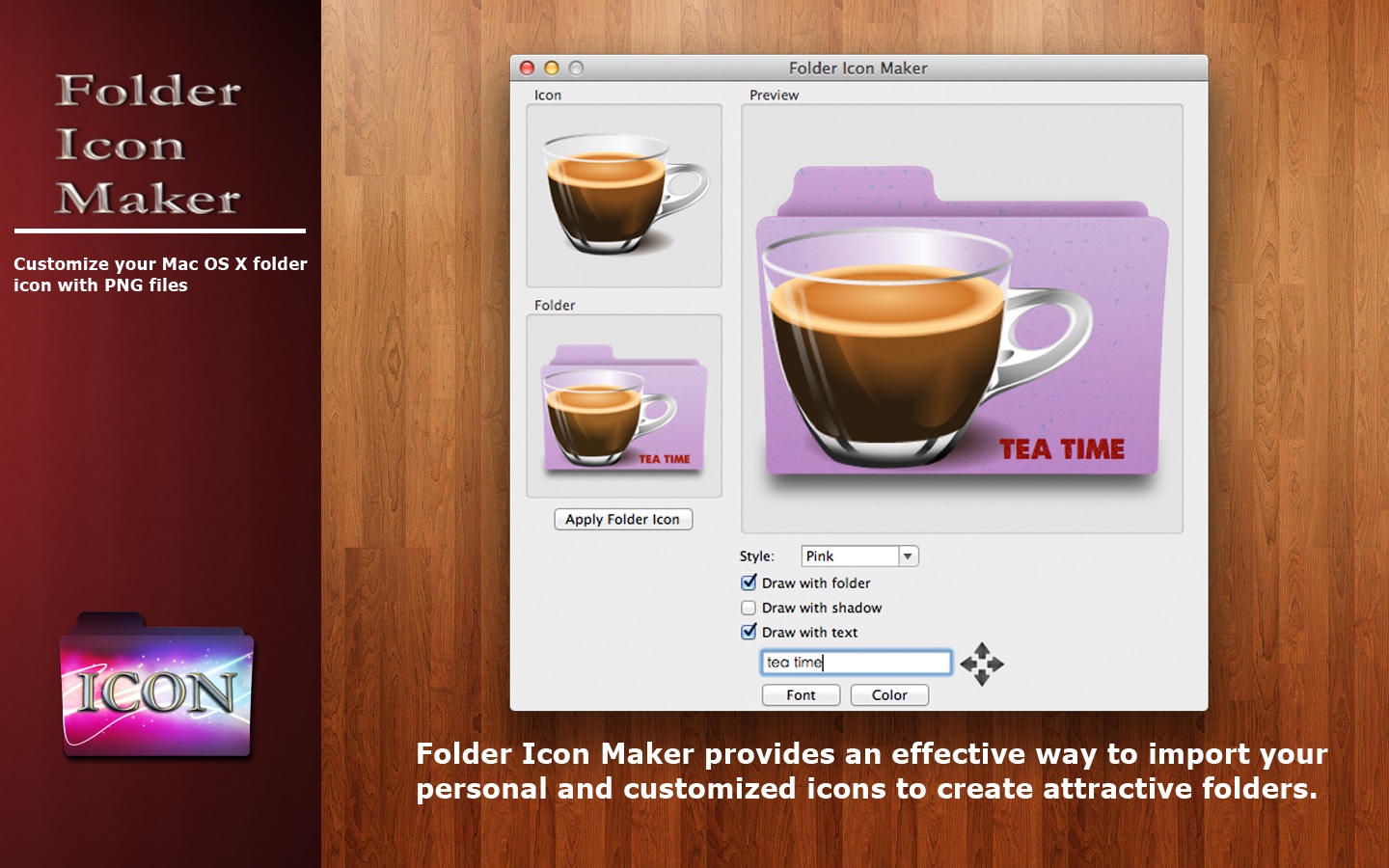
Folder Icon Maker is a tool to customize you macOS folder icon with PNG files. Folder Icon Maker provides an effective way to import your personal and customized icons to create attractive folders. Folder Icon Maker has 4 different styles of color and 2 options to give you different customized icon effects.
Drag and drop a transparent PNG image file into Folder Icon Maker and it will turn the image into a folder icon for you. If you want to add your new icon to a folder, just drag and drop the folder into Folder Icon Maker. Only two steps to generate your unique folder icon.
Using a transparent PNG icon file will give you the best results. You can search from the internet with ‘PNG icon’ to get lots of them.
Main features
- 1. Change the position of the icon by pressing the left mouse button and dragging.
- 2. Scale the icon size with scroll wheel or trackpad.
- 3. Generate high-quality folder icon.
- 4. Support inserting text on icons.
- 5. Support dragging the existing icons of applications on the desktop into Folder Icon Maker.
What's New
Version :
- Release notes were unavailable when this listing was updated.
Requirements
macOS 11.0 or later
Screenshots
Download File
Size:
Rapidgator Download | NitroFlare Download